
First things, first. Start up your raid. When you set the raid to Master Looter, and your options are defaulted, the Points Screen will pop up. Assign a DE toon for the run.

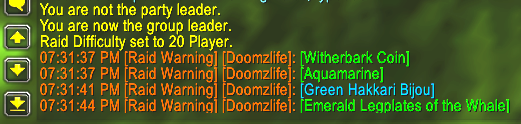
As loot drops from that is above your Loot Threshold this causes the following to happen:
#1 – The loot will be announced when it is opened.
#2 – To initiate the roll (when not set to Fast Loot) click the item in the loot bag.

#3 – When rolling is complete, you can click +1 or +2 next to a user to assign points and send them the loot. If you +1 everything, you can also setup Auto Distribute in the options so you can skip clicking the +1 and RaidRolls will do it for you.
It’s that easy at it’s base settings. Here are some slash commands to help along the way.
/rr show – Shows the points screen
/rr loot – Shows the loot distributed screen
/rr opt – Shows the interface options screen
/rr reset – resets all databases except Config